Calculate freight costs in bulk (Freight batch analysis)
Server-side calculation of shipment data
Written By Mattias Hägerstrand
Last updated About 5 hours ago
Freight batch analysis is found under ‘Rates’ > ‘Batch’. For emissions, use ‘Emissions’ > ‘Batch’.
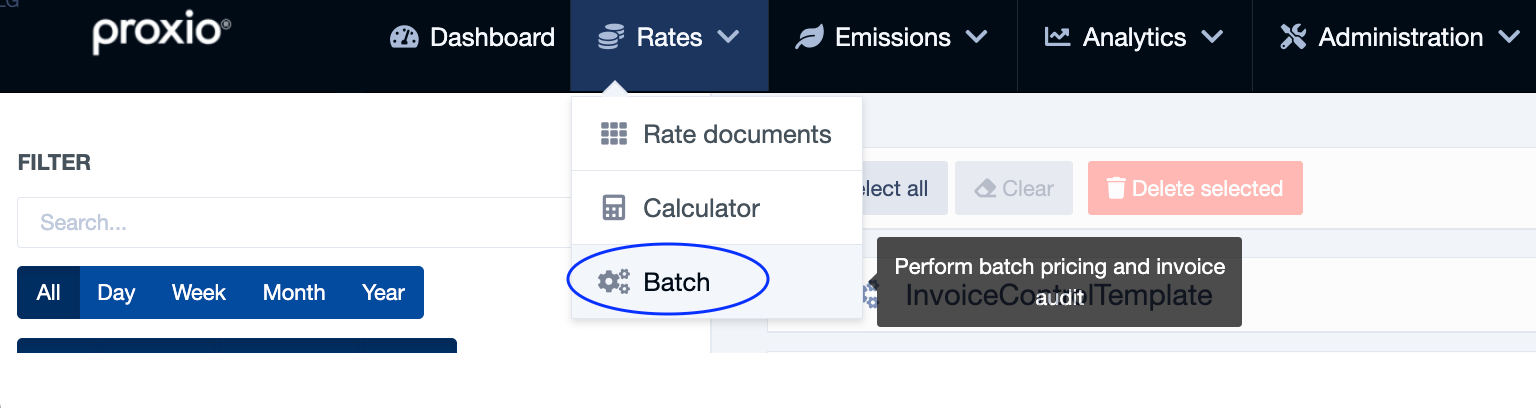
Batch calculation uses a source excel document to create a price question for each row, and then creates a result Excel document with the calculated value for each row.
Create the source file from the template. Proxio reads the columns by their heading, so keep the headings exactly as in the template. The order of the columns does not matter. Download the template in the left panel under ‘Templates’ > ‘Analysis template’.
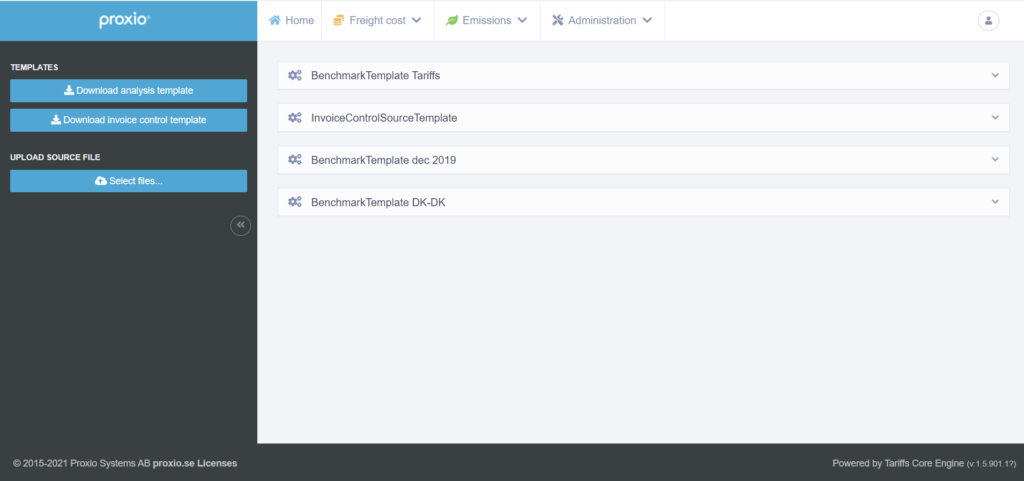
Upload the source file you created using the button ‘Select files…’ under ‘Upload source file’. To start a new batch analysis press the Start analysis button, on the selected uploaded file.
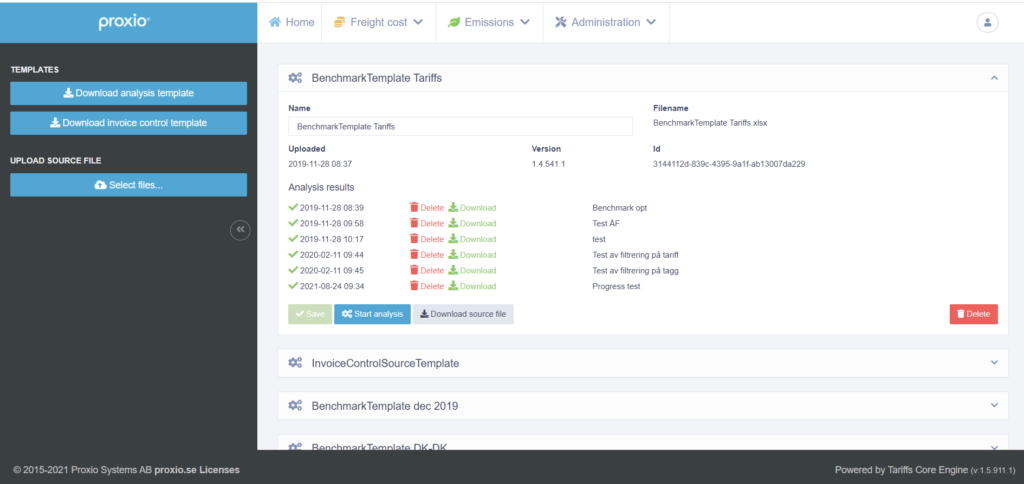
If the batch calculation is completed successfully, the result document can be downloaded, re-named, or deleted.
Locations and units
Location columns: the template has separate columns for city, state/region/province and location code. Older templates with the old headings still work.
Metric or imperial per row: use the optional Imperial/Metric column to choose the unit system for each row. Proxio converts weight, volume and distance before calculating. If a row has a unit Proxio does not recognise, that row gets an error.
Your own data is kept: your original input values and your own extra columns are kept in the result file.
Was this helpful?
Still need help? Share an idea